| Subtotal: | $6.30 |

Discovery
Every trail looks new
A path you have walked a hundred times turns into uncharted territory when you see it from just above the ground, at drone height.

$6.30
| Subtotal: | $6.30 |


Availability:In stock


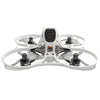
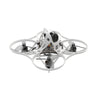
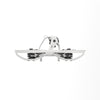
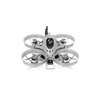
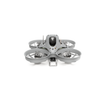
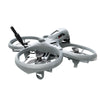
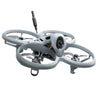
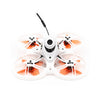
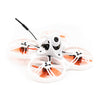
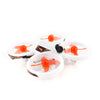
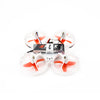
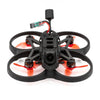
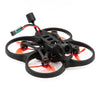
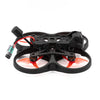
Tinyhawk Lite Adventure · drone only (BNF)
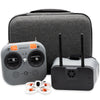
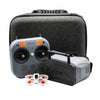
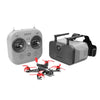
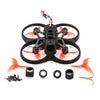
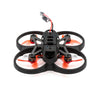
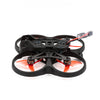
The same tough, fully covered Tinyhawk Lite Adventure from our expedition kit, sold on its own. Bind it to your ExpressLRS 2.4GHz radio (ELRS 3.x), tune your analog 5.8GHz goggles to its channel, and head out. A battery cartridge and charger are included.
New to this? Start here
FPV means “first-person view.” A tiny camera on the front of the drone sends live video to your goggles, so instead of watching a drone from the ground, you fly it from the inside, as if you were sitting in the cockpit. Camera drones watch the adventure. FPV puts you in it.
Why explorers fall in love with FPV
A path you have walked a hundred times turns into uncharted territory when you see it from just above the ground, at drone height.

Sweep across an open clearing, chase the trail ahead and rise for the view. It feels like flying, because, in a way, it is.

The first hover, the first lap of the yard, the first time it all clicks. Small wins come fast, and each one makes you want another battery.
Built for the trail
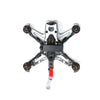
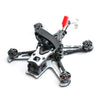
The Tinyhawk Lite was made for living rooms. The Adventure was made for the step outside: bigger, sturdier and fully covered, so it feels like a finished product rather than a hobby kit.

Before you buy the BNF
BNF means bind-and-fly: the drone comes on its own, ready to pair with gear you already own.

Your route to the first flight
Every great pilot starts somewhere. The Tinyhawk Lite Adventure starts in a self-leveling mode that limits how far it can tilt and levels itself when you let go of the sticks, so you can focus on the fun part.
Charge the battery cartridge, your radio and your goggles before your first trip.
Bind the drone to your ELRS radio with the Bind button on the flight controller or “Receiver Bind” in Betaflight, then set your analog goggles to its video channel (it ships on R4).
EMAX recommends a first flight indoors. In the self-leveling beginner mode, practice a steady hover about 3 feet (1 meter) off the floor.
When you feel in control, pick a calm day and a wide-open space away from people, and start exploring.
Fly in a clear, open space away from people, animals and objects, and not in wind, rain or bad weather. When you fly with goggles outdoors, have a friend beside you watching the drone. In the US, recreational pilots also need to pass the free FAA TRUST test. Follow local rules: many parks and historic sites do not allow drones. Learning takes practice, and bumps are part of it.

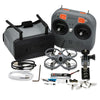
What’s in the box
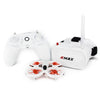
Not included: radio controller and FPV goggles. You need an ExpressLRS 2.4GHz radio (ELRS 3.x) and analog 5.8GHz FPV goggles. The charger needs a 5V USB power source, such as a USB wall adapter.
A hobby that grows with you
Start in Angle mode and unlock the rest as your skills grow. On your radio, set a switch on AUX1 to arm the motors and a three-position switch on AUX2 to move between the modes. This is the factory setup, and you can change it in Betaflight. It runs Betaflight, the open-source flight software FPV pilots use worldwide, and ExpressLRS (ELRS), one of the most popular radio links in FPV, so the skills you learn here carry forward into the wider hobby.
Beginner friendly. Limited tilt, and the drone levels itself and holds a hover when you let go of the sticks.
Self-levels with small stick movements, and flips or rolls when you push a stick all the way.
Full manual control with no angle limit, the way experienced freestyle pilots fly.
Reports from the field
Opinions in reviews are the reviewer’s own, and prices mentioned in videos may not be current; see this page for the current price.
Questions from new pilots
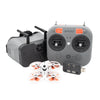
An ExpressLRS (ELRS) 2.4GHz radio transmitter running ELRS 3.x firmware, and analog 5.8GHz FPV goggles. A battery cartridge and a charger are included. If you are new to FPV, the RTF kit includes a radio and goggles already paired.
Press the Bind button on the flight controller (or use “Receiver Bind” in Betaflight) to enter bind mode, then put your ELRS radio into bind mode. The manual walks through each step.
It is for ages 14 and up and is not suitable for anyone under 14. Teen pilots should fly with an adult present. It contains small parts, so keep it away from young children.
Like riding a bike, it takes practice, and the first flights can feel challenging. The self-leveling Angle mode helps a lot: let go of the sticks and the drone levels out and holds its hover. EMAX recommends a first flight indoors, then heading outside once you feel in control.
Yes. The Adventure is the outdoor counterpart of the Tinyhawk Lite. Fly on calm days in a wide-open space away from people, animals and objects, and not in wind, rain or other bad weather. Always follow local rules for where drones may fly.
In EMAX testing, about 5 minutes of hovering and gentle cruising per fully charged 850mAh battery. Start heading back when the battery voltage on your screen drops to about 3.5V, and be landed by about 3.3V. Extra battery cartridges are sold separately.
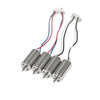
Bumps are part of learning, and the covered body is built to be durable. After a crash, check the propellers and frame before you fly again. Replacement motors, propellers and batteries are available on our store.
That depends on your radio. Many radios can connect to FPV simulator software (sold separately), so check your radio’s manual. The EMAX E8 radio in the RTF kit connects to simulators with a USB-C data cable.
Grow into it
The Tinyhawk Lite Adventure runs Betaflight, the open-source flight software used by FPV pilots around the world. Start simple, and as your confidence grows you can shape how it flies to match your style.
EMAX recommends keeping the factory tune and firmware, and the factory settings can be restored from EMAX’s settings file if you ever want to start fresh.

For the technically curious
| Wheelbase | 115mm |
| Dimensions | 148 × 144 × 45mm |
| Weight | About 59g without battery cartridge |
| Motors | 1020 coreless brushed, 3.7V |
| Propellers | 65mm three-blade |
| Flight controller | STM32F411 (100MHz), 1S input, programmable RGB LEDs |
| Receiver | Built-in ExpressLRS 2.4GHz (SPI) |
| Camera | EMAX E02 (analog) |
| Video transmitter | 32-bit open-source analog, 40 channels, 0 / 25 / 100 / 400mW; ships at 25mW on R4 |
| Battery | 1S HV 850mAh cartridge (4.35V full), EM2.0 connector |
| Flight time | About 5 minutes hover and gentle cruising (EMAX testing) |
| Firmware | Betaflight, EMAX factory tune, two PID profiles |
| Flight modes | Angle, Horizon, Acro |
| Radio | ExpressLRS 2.4GHz transmitter, ELRS 3.x (not included) |
| Goggles | Analog 5.8GHz FPV goggles (not included) |
| Included | Drone, 1S HV 850mAh battery cartridge, charger, spare props, accessory packs |
Designed in California. VTX output must follow local rules: in the US, power above standard levels requires an FCC amateur radio license. EMAX recommends keeping the factory tune and firmware. Specifications from the EMAX Tinyhawk Lite Adventure user manual v1.0.